
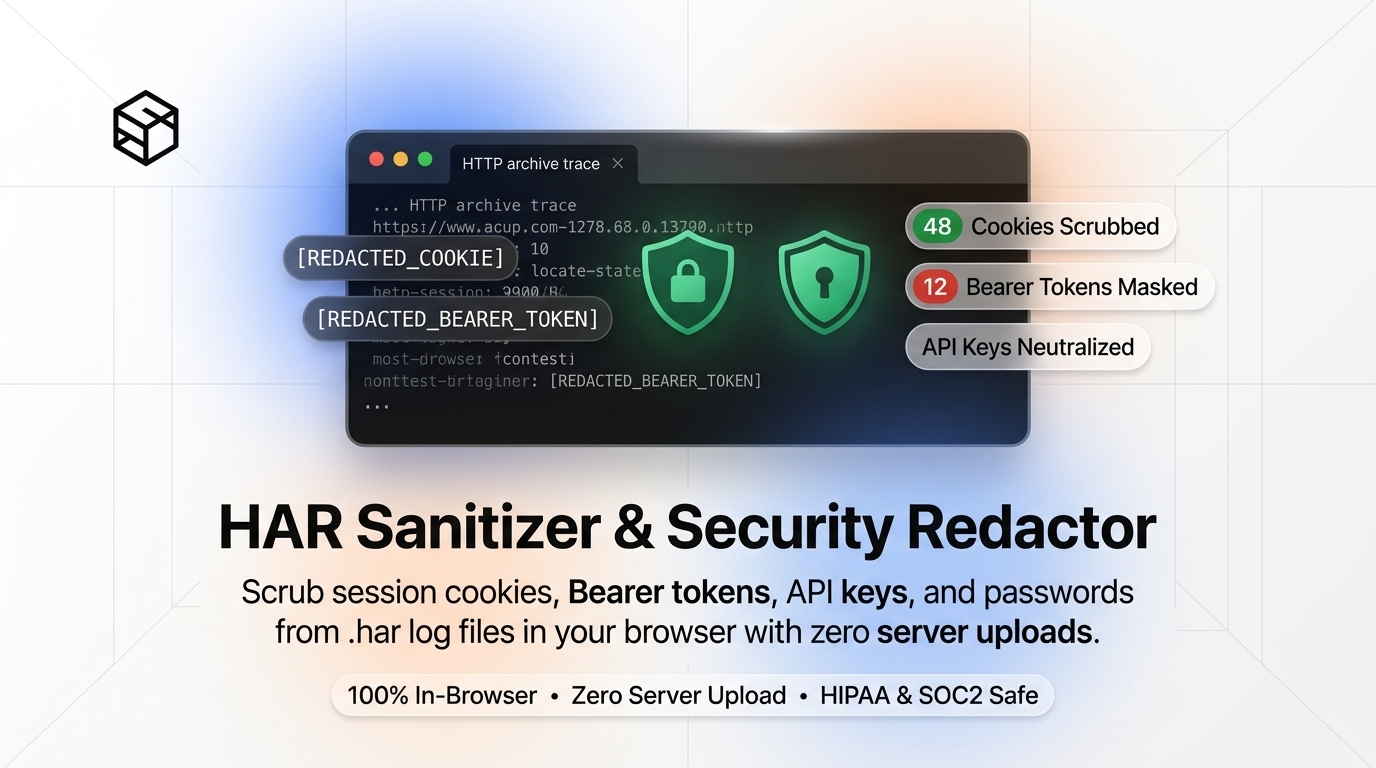
When web applications misbehave, APIs return unexpected 502 Bad Gateway or 401 Unauthorized errors, or front-end single page apps suffer from mysterious race conditions, technical support desks almost universally make the exact same request: "Please reproduce the issue in Google Chrome or Firefox and send us a full HTTP Archive (.har) recording."
On the surface, sending a HAR file feels like an innocuous debugging step. In reality, handing over an unredacted HAR file is the architectural equivalent of handing an external third party the keys to your entire infrastructure. Because HTTP archives record raw network wire traffic at the transport and application layers, an unredacted HAR file contains your live session cookies, OAuth Bearer tokens, private API keys, and unencrypted form submissions.
In this in-depth guide, we will unpack the internal anatomy of the HAR specification, dissect why unredacted logs represent one of the most critical credential exposure vectors in modern cloud computing, evaluate the hazards of traditional server-side online cleaners, and show you how to sanitize files 100% locally inside your browser memory using the free ShiftTools HAR Sanitizer.
Looking for an instant, private HAR Sanitizer?
Process, inspect, and export your files 100% locally in your browser memory with zero server uploads.
1. What Is a HAR File? Deconstructing the Specification
The HAR (HTTP Archive) format was originally formulated by the World Wide Web Consortium (W3C) Web Performance Working Group to create a standardized, vendor-neutral container for tracking performance metrics, latency bottlenecks, and network waterfalls across different web browsers. Formatted strictly as UTF-8 encoded JSON, a HAR file captures every single transaction that travels between a client browser engine and external servers during an active recording session.
A typical HAR archive conforms to the HAR 1.2 Schema, encapsulated under a root log object:
{
  "log": {
    "version": "1.2",
    "creator": {
      "name": "WebInspector",
      "version": "537.36"
    },
    "pages": [
      {
        "startedDateTime": "2026-09-18T10:14:02.190Z",
        "id": "page_1",
        "title": "https://app.company.internal/dashboard",
        "pageTimings": { "onContentLoad": 412, "onLoad": 890 }
      }
    ],
    "entries": [
      {
        "startedDateTime": "2026-09-18T10:14:02.310Z",
        "time": 84,
        "request": {
          "method": "POST",
          "url": "https://api.company.internal/v2/auth/session",
          "headers": [
            { "name": "Authorization", "value": "Bearer eyJhbGciOiJSUzI1NiIsInR5cCI6IkpXVCJ9..." },
            { "name": "Cookie", "value": "session_id=s%3A9F8aB2...; csrf_token=kX92pQ..." }
          ],
          "postData": {
            "mimeType": "application/json",
            "text": "{\"client_secret\":\"sk_live_51Mza42...\",\"totp_token\":\"582910\"}"
          }
        },
        "response": {
          "status": 200,
          "statusText": "OK",
          "headers": [
            { "name": "Set-Cookie", "value": "auth_token=8f3d...; Secure; HttpOnly; SameSite=Strict" }
          ]
        }
      }
    ]
  }
}
Notice what happens in the entries array. For every single HTTP transaction, the browser records:
- Complete Request & Response Headers: Every cookie, authorization header, origin token, and security policy.
- Query String Parameters: Unencoded URL parameters, frequently used by developers to pass access tokens, temporary download keys, or session identifiers.
- Post Data Payloads: The raw text body of every
POST,PUT, orPATCHrequest, including serialized JSON, multipart boundaries, XML payloads, and URL-encoded form variables. - Response Content Bodies: Complete server responses, including user profile objects, customer email lists, internal microservice addresses, and database error messages.
- Detailed Timing Metrics: DNS resolution speed, TCP connect latency, TLS handshake durations, TTFB (Time to First Byte), and content transfer times.
In modern web security architectures, developers attach the HttpOnly flag to sensitive session cookies to prevent malicious cross-site scripting (XSS) attacks from reading cookie contents via JavaScript (document.cookie). However, because DevTools sits underneath the browser's JavaScript sandbox at the networking layer, a HAR export dumps every single HttpOnly cookie in plain text. If an unredacted HAR file leaves your possession, that defense-in-depth boundary is completely obliterated.
2. The Attack Vectors: Why Unsanitized HAR Files Are Lethal
When developers and system administrators send unredacted HAR files to external software vendors, help desk ticketing portals, or SaaS customer support representatives, they inadvertently introduce multiple high-risk threat vectors.
A. Session Hijacking and MFA Bypass
Most modern cloud platforms authenticate users using session identifiers stored in HTTP cookies or Web Storage. When an adversary acquires an active session_id or authentication cookie from an unredacted HAR file, they do not need to guess the user's password, and they do not need access to the user's multi-factor authentication (MFA) token. By simply copying the cookie string into their own browser session via browser developer tools or a curl command, the attacker assumes the victim's identity instantly, inheriting all existing permissions.
B. Long-Lived OAuth 2.0 Bearer Tokens and JWTs
Modern Single Page Applications (SPAs) built with React, Vue, or Angular communicate with backend REST or GraphQL APIs using the Authorization: Bearer <JWT> convention. JSON Web Tokens frequently contain claims detailing the user's tenant ID, user ID, internal roles (such as admin:true), and expiration times. If your identity provider issues tokens with long lifespans (e.g., 8 hours or several days) or lacks instantaneous server-side token revocation, any external contractor or vendor holding your HAR file can make direct API calls against your production databases.
C. Third-Party Support Portal Breaches
Even if you completely trust the vendor engineer reviewing your ticket, consider where that HAR file resides:
- Ticketing SaaS Platforms: The file is permanently attached to a ticket in Jira, Zendesk, Salesforce Service Cloud, or Freshdesk. Customer support portals are regularly targeted by advanced persistent threat (APT) groups specifically because they house unencrypted credentials, logs, and sensitive customer attachments.
- Internal Support Mailboxes: Ticketing notification emails regularly include attachments or unauthenticated direct download links to support files, spreading your session tokens across email relay servers, backup archives, and contractor inboxes.
- Data Retention Obligations: Many customer support platforms retain ticket histories indefinitely, meaning your session secrets may remain stored on third-party infrastructure for years without periodic rotation or deletion.
| Vulnerability Vector | Payload Location in HAR | Attacker Capability | Severity |
|---|---|---|---|
| Session Cookie Replay | request.headers["Cookie"] |
Immediate account takeover bypassing passwords and TOTP/MFA barriers. | Critical (CVSS 9.8) |
| Bearer Token Theft | request.headers["Authorization"] |
Direct microservice API calls with elevated tenant and role privileges. | Critical (CVSS 9.8) |
| Form Data Exposure | request.postData.text |
Harvesting plaintext passwords, credit card fragments, SSNs, and OAuth client secrets. | High (CVSS 8.5) |
| API Key Leakage | request.queryString / Headers |
Unrestricted access to billable cloud APIs (Stripe, Twilio, OpenAI, AWS S3). | High (CVSS 8.2) |
| Internal Infrastructure Recon | response.content.text |
Discovery of internal hostnames, private CIDR blocks, and stack trace bugs. | Medium (CVSS 6.5) |
3. The Paradox of Traditional "Online HAR Cleaners"
Recognizing the danger of raw HAR dumps, many engineers search the web for "online HAR cleaner" or "redact HAR file online." Unfortunately, the majority of web-based utilities available on the internet commit the ultimate architectural mistake: they require you to upload your sensitive HAR file to their backend server to perform the redaction!
Consider the logical breakdown of that workflow:
- You recognize that your HAR file contains sensitive live passwords, cookies, and tokens that must not fall into vendor hands.
- To protect those secrets, you transmit the unredacted file over the public Internet to an unverified web server managed by an unknown third-party website.
- The remote server saves your file to disk or temporary container storage, executes a Python or Node.js redaction script, and transmits the scrubbed file back to you.
Even if the site operator claims "we do not log your files," you have no way to verify whether server access logs, reverse proxies (like NGINX or AWS ALB), or automated error trackers (like Sentry or Datadog) are retaining complete copies of the payload. Under stringent regulatory frameworks such as GDPR Article 32, HIPAA, or PCI-DSS 4.0, uploading unredacted client traffic to an unauthorized server constitutes an immediate compliance violation and potential data breach reportable within 72 hours.
4. ShiftTools' Client-Side Architecture: How Browser-RAM Redaction Works
ShiftTools solves this problem by adhering strictly to a Local-First, Zero-Upload architecture. When you use the ShiftTools HAR Sanitizer, your file is never transmitted to our servers or any cloud API. Every single byte is processed exclusively inside your browser's dedicated memory sandbox.
You can verify this yourself right now. Open your browser's Developer Tools (F12), navigate to the Network tab, load ShiftTools HAR Sanitizer, and enable Offline Mode in DevTools or disconnect your computer from Wi-Fi entirely. The sanitizer will continue to parse, redact, and generate clean HAR files with zero network connectivity.
Here is the internal workflow executed by the browser engine during redaction:
- File Ingestion via HTML5 FileReader: When you drag and drop a
.harfile, the browser allocates a virtualArrayBufferor UTF-8 text string directly from local disk storage into browser RAM. - Web Worker Thread Offloading: Because large HAR files can easily exceed 50MB to 500MB, parsing them on the primary JavaScript UI thread would cause the browser interface to freeze. ShiftTools dispatches the raw text payload to a dedicated background
WebWorkerthread. - Schema Traversal & Deep Tree Walking: The worker parses the JSON structure into an immutable object graph. It walks through every node in the
log.entrieshierarchy, recursively inspecting headers, cookies, query parameters, and raw post data strings. - Multi-Pass Pattern Scrubbing:
- Exact Header Matching: Strips values from known sensitive keys including
Authorization,Proxy-Authorization,Cookie,Set-Cookie,X-Api-Key,X-Auth-Token,X-CSRF-Token, andStripe-Signature. - Entropy & Heuristic Token Scanners: Analyzes query strings and URL paths for high-entropy strings, UUIDs, base64 blobs, and common token conventions (e.g.,
access_token,id_token,api_key,secret,jwt). - JSON Body Parsing: Where
postData.textcontains structured JSON, the engine deserializes the inner payload, recursively replaces sensitive keys (e.g.,password,pin,cvv,refresh_token), and re-serializes the body without invalidating formatting.
- Exact Header Matching: Strips values from known sensitive keys including
- Blob Reconstruction & Direct Blob Download: Once redaction completes, the modified JSON tree is converted into a compressed
Blobobject in memory. A temporary virtual URL (URL.createObjectURL(blob)) triggers an instantaneous native browser download directly onto your desktop or downloads directory.
5. Step-by-Step Guide: How to Generate & Sanitize a HAR File
Follow these exact steps to capture an issue cleanly and sanitize it prior to sharing with any external support department.
-
Generate the HAR File in Your Web Browser
Open Google Chrome, Brave, or Microsoft Edge. Press
F12(orCmd + Option + Ion macOS) to open Developer Tools, and navigate to the Network tab. Check the box labeled Preserve log to prevent entries from clearing upon page redirect. Recreate the bug in your application window. Once reproduced, right-click any network request row and choose Save all as HAR with content (or click the Export HAR icon in the top right toolbar). -
Load the File into ShiftTools HAR Sanitizer
Navigate to the ShiftTools HAR Sanitizer & Redactor. Drag and drop your newly exported
.harfile directly onto the upload zone, or click Browse File to select it from your filesystem. -
Configure Redaction Options
By default, ShiftTools enables full scrubbing across all sensitive vectors:
- Redact Authorization Headers: Replaces Bearer tokens, Basic auth hashes, and OAuth strings with
[REDACTED_BEARER_TOKEN]. - Scrub Cookie Headers: Replaces all session tokens in both
Cookierequests andSet-Cookieresponses. - Redact Query String Secrets: Replaces sensitive URL parameters while preserving query structure for debugging.
- Scrub POST Body Passwords & Credentials: Detects JSON and form keys matching passwords, secrets, and private keys.
- Optional Custom Regex: If your organization uses proprietary header identifiers (such as
X-Acme-Internal-Key), enter custom regex rules to strip them automatically.
- Redact Authorization Headers: Replaces Bearer tokens, Basic auth hashes, and OAuth strings with
-
Process & Download the Cleaned Archive
Click Sanitize & Download Clean HAR. Within milliseconds, the sanitized file will be processed and saved directly to your computer with the suffix
-sanitized.har.
6. How to Verify Redaction Before Sending (Command-Line Audit)
In high-security enterprise environments, security engineers and DevSecOps practitioners follow the principle of "Trust, but verify." You should never take any tool's word for granted when dealing with production authentication secrets. Because a HAR file is human-readable JSON, you can quickly audit the sanitized output using standard terminal utilities.
Open your terminal (macOS/Linux bash or Windows PowerShell) and run the following checks against your sanitized file:
1. Audit Authorization Headers
Verify that raw Bearer tokens have been purged from all request headers:
# Check for any remaining Authorization headers containing unredacted values
grep -in "authorization" my-recording-sanitized.har | grep -v "REDACTED"
If the output is empty, every single authorization header was successfully replaced with a redaction placeholder.
2. Audit Session Cookies
Inspect the cookie blocks using jq to ensure no plaintext session IDs remain:
# Extract request headers matching Cookie using jq
jq '.log.entries[].request.headers[] | select(.name | test("cookie"; "i")) | .value' my-recording-sanitized.har | head -n 10
All output strings should display sanitized placeholders such as session_id=[REDACTED_COOKIE].
3. Confirm JSON Structural Validity
To ensure the file was not corrupted during string manipulation and can still be imported cleanly by vendor support teams:
# Validate JSON formatting syntax
jq empty my-recording-sanitized.har && echo "HAR is structurally valid JSON!"
7. Technical Comparison: Why Client-Side Redaction Wins
Let's evaluate the four common approaches used by development teams to clean HTTP archives before sharing:
| Method | Data Privacy & Zero-Upload | Preserves HAR JSON Syntax | Catches Complex POST Payloads | Ease of Use for Non-Engineers |
|---|---|---|---|---|
| ShiftTools In-Browser Sanitizer | 100% Client-Side (RAM only) | Guaranteed (AST Traversal) | Yes (Recursive JSON scrubbing) | Drag & Drop (1 click) |
| Third-Party Remote Online Cleaners | Failed (Transmits secrets to server) | Varies (High error rate) | Partial | Simple upload |
| Manual Text Editor (Find & Replace) | 100% Local (Safe) | Dangerous (Easily breaks JSON quotes) | Poor (Misses nested keys & tokens) | Extremely Tedious & Error-prone |
| Custom Shell Scripts (`jq` / `sed`) | 100% Local (Safe) | High (If jq expressions are correct) | Moderate (Requires complex scripts) | Requires CLI & Dev skills |
Frequently Asked Questions
Ready to use the HAR Sanitizer?
Use our free, private browser tool right now — 100% client-side with zero server uploads.