
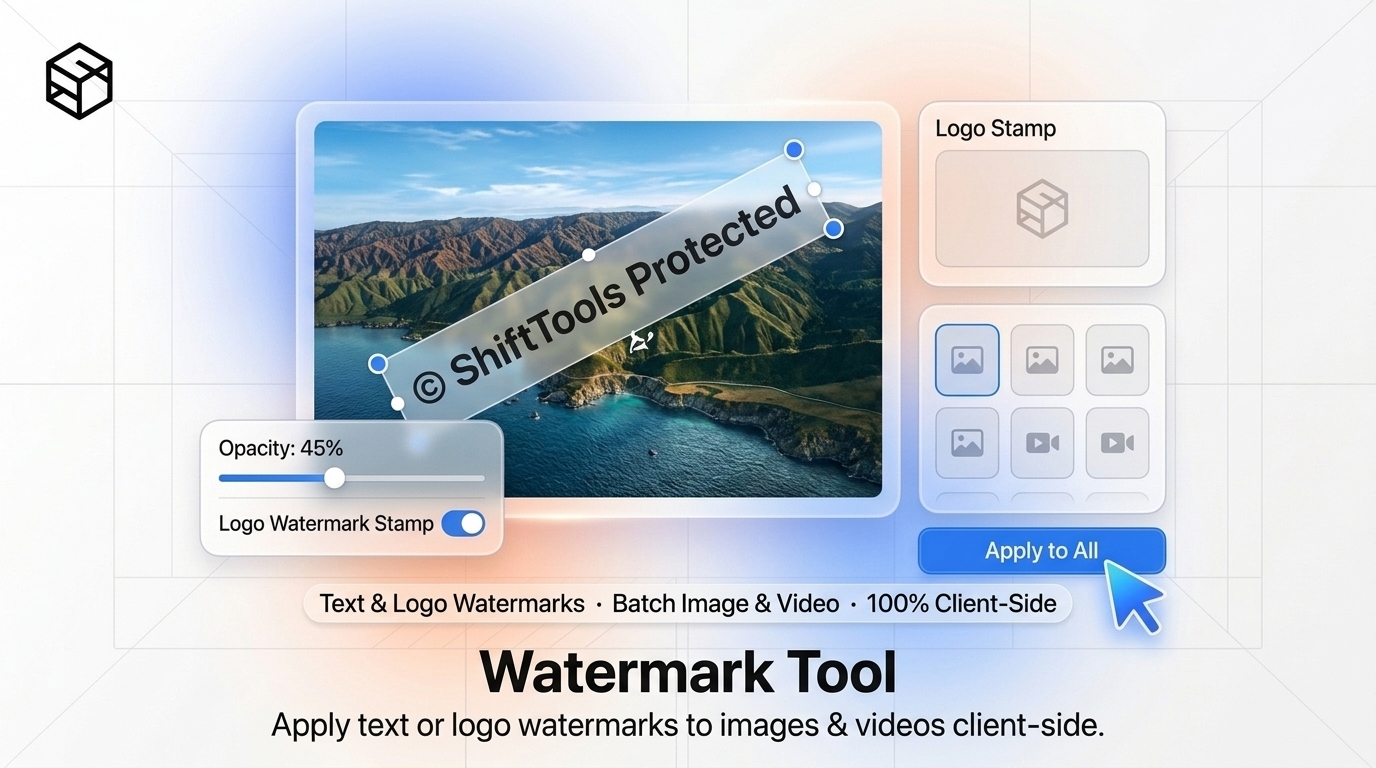
In the era of automated content aggregators, web scrapers, generative AI training crawlers, and rapid social media piracy, protecting digital intellectual property has become a frontline necessity for commercial photographers, visual artists, e-commerce sellers, and real estate professionals. Whether you are publishing an unreleased product catalog, sending client proofing galleries, or distributing proprietary technical schematics, publishing unwatermarked high-resolution images is an open invitation for content theft.
However, traditional watermarking solutions impose significant operational friction. Heavy desktop software suites like Adobe Photoshop or Lightroom require steep learning curves and recurring monthly subscriptions. Conversely, generic online watermarking websites frequently downscale your images, inject their own promotional watermarks, or upload your proprietary photography to unverified cloud servers.
In this engineering guide, we dissect the mathematics of Porter-Duff Alpha Compositing, evaluate optimal watermark placement strategies (including corner signatures versus $45^\circ$ tiled diagonal matrices), examine how Web Workers accelerate high-throughput batch processing, and demonstrate how to watermark hundreds of photos simultaneously inside your browser with the ShiftTools Watermark Tool.
Looking for an instant, private Watermark Tool?
Process, inspect, and export your files 100% locally in your browser memory with zero server uploads.
1. The Mechanics of Watermarking: Alpha Blending Mathematics
At the pixel level, watermarking is a specialized application of Alpha Compositing. When you render a semi-transparent text string or logo over a source photograph, the rendering engine combines the color values of the foreground watermark (source $S$) and the background photograph (destination $D$) using the standard Over operator.
For any given pixel with color vectors $C_s$ and $C_d$, and normalized alpha channels $\alpha_s, \alpha_d \in [0, 1]$, the resulting composite color $C_o$ and alpha $\alpha_o$ are calculated as:
Co = [Csαs + Cdαd(1 - αs)] / αo
When watermarking opaque photography ($\alpha_d = 1.0$), this simplifies to standard linear interpolation:
By controlling $\alpha_s$ (opacity slider between 10% and 40%), you ensure that the watermark remains clearly legible to authenticate authorship while retaining sufficient underlying photographic detail for client review.
2. Strategic Watermark Positioning: Security vs Aesthetics
Where you position your watermark determines whether it acts as a subtle brand signature or an impregnable barrier against theft.
A. Corner Watermarks (Lower-Right or Lower-Left)
A modest, elegant logo or name stamped into a corner is the most aesthetically pleasing option. It does not distract the viewer from the subject matter of the photograph. However, from a security standpoint, corner watermarks are the weakest: any casual thief can crop away 5% of the frame in a photo editor and repost the image as their own.
B. Center Signature Overlay
Placing a semi-transparent brand mark directly over the primary focal point of the image (such as the subject's face, clothing, or architectural center) prevents simple cropping. To remove it, an attacker would have to attempt complex inpainting or content-aware fill, which invariably introduces noticeable blurring and distortion.
C. 45-Degree Diagonal Tiled Matrix
For commercial stock photography, architectural proofing, legal discovery exhibits, and sensitive client reviews, diagonal tiling is the gold standard. A repeated grid of text (e.g., "PROOF — CONFIDENTIAL — © 2026 SHIFTTOOLS") rotated at a $45^\circ$ angle covers every quadrant of the image. Even if automated AI object-removal algorithms attempt to reconstruct underlying textures, the sheer density of mathematical interference renders clean removal impossible.
| Watermark Style | Visual Invasiveness | Theft / Crop Resistance | AI Inpainting Resistance | Optimal Use Case |
|---|---|---|---|---|
| Subtle Corner Logo | Very Low (Clean) | Poor (Easily cropped) | Low | Social media sharing, portfolio branding |
| Center Focal Stamp | Moderate | High (Cannot crop) | Moderate | Sample product previews, e-commerce listings |
| 45° Tiled Pattern | High (Intentional) | Maximum | Maximum (Destroys Inpainting) | Client proofing, legal exhibits, stock photo preview |
3. High-Throughput Batch Processing with Web Workers
When photographers return from an event or photo shoot, they rarely watermark a single file. They typically have 200 to 500 RAW or JPEG photos that must be stamped before sharing proofs with clients.
Processing 500 images sequentially on the main browser thread causes the entire user interface to freeze, triggering "Page Unresponsive" browser crash warnings.
ShiftTools Watermark Tool solves this using OffscreenCanvas and parallel Web Workers:
- Worker Thread Pool: The browser detects your computer's available CPU cores (via
navigator.hardwareConcurrency) and spawns an optimal pool of background worker threads. - Zero-Copy ArrayBuffer Transfer: Images are read from disk via HTML5 File API and transferred directly to workers using zero-copy memory transfers.
- Offscreen Canvas Compositing: Each worker maintains an isolated
OffscreenCanvascontext, decoding images, applying transformations (rotation, scaling, text rendering), and re-encoding to JPEG or WebP in parallel. - Streaming ZIP Generation: Processed image blobs are piped directly into an in-memory ZIP streaming engine, allowing you to download 200 watermarked photos in a single archive without a single network request.
Your photography remains strictly your own. Because ShiftTools executes all alpha blending within your computer's local RAM, your high-resolution original images are never sent to external cloud servers, preventing unauthorized indexing or exposure.
4. Step-by-Step Guide: Watermarking Images with ShiftTools
Follow these straightforward steps to watermark single photos or massive collections:
-
Open ShiftTools Watermark Tool
Navigate to ShiftTools Watermark Tool. The interface is completely free, runs inside any modern browser, and requires no account registration.
-
Select Single or Batch Photos
Drag and drop your images (JPG, PNG, WebP, GIF, or SVG) onto the dropzone. You can add individual files or highlight hundreds of photos simultaneously.
-
Choose Watermark Mode: Text or Logo
Select Text Watermark to type your company name, copyright notice (e.g. © 2026 YourBrand), or custom message. Select Logo Watermark to upload your own transparent PNG or SVG brand icon.
-
Customize Opacity, Font, and Layout
Adjust the opacity slider (typically 20% to 35% for proofs), pick your font family, select font color, and choose your layout: Corner Stamp, Center Overlay, or 45-Degree Repeating Tile. The live preview updates in real-time.
-
Process & Download Batch
Click Download All Watermarked Images. Your browser renders the entire queue at native full resolution and delivers your files individually or packaged cleanly in a ZIP archive.
5. Comparison Matrix: ShiftTools vs Desktop & Cloud Alternatives
| Feature | ShiftTools Watermark Tool | Cloud-Based Watermark Sites | Adobe Lightroom Desktop |
|---|---|---|---|
| Data Privacy & Security | 100% In-Browser (Zero uploads) | Uploads photos to cloud server | 100% Local Desktop |
| Batch Processing Limit | Unlimited (Hardware bounded) | Limited to 5-10 images on free tiers | Unlimited |
| Native Resolution Retention | 100% Full Resolution (e.g. 24MP+) | Downscales to 1080p on free tier | 100% Full Resolution |
| Pricing | 100% Free Forever | Freemium / Monthly paywalls | $119/year Creative Cloud plan |
| Cross-Platform Compatibility | Any OS (Windows, Mac, Linux, Mobile) | Web browser | Windows & macOS only |
Frequently Asked Questions
Ready to use the Watermark Tool?
Use our free, private browser tool right now — 100% client-side with zero server uploads.